• Categories
  • Popular
  • Dev Tracker
Skins
  • Default (The Show 26)
  • No Skin
  • The Show 23
  • Dark
  • The Show 24
  • The Show 25
  • The Show 26
Collapse
THESHOW.COM
Game Games Support Support My Account My Account

Community Forum

The Show Scout 26 - Download and Use it on your own PC

Scheduled Pinned Locked Moved Diamond Dynasty
2 Posts 1 Posters 735 Views
    • Oldest to Newest
    • Newest to Oldest
    • Most Votes
Reply
  • Reply as topic
Log in to reply
This topic has been deleted. Only users with topic management privileges can see it.
  • Dolenz_PSND Offline
    Dolenz_PSND Offline
    Dolenz_PSN
    wrote last edited by
    #1

    I'm going to try this and see how it goes. I am letting anyone here who wants to try my app download it and try it.

    https://gofile.io/d/rUmaXE

    • Download and Unzip the file into a dedicated directory on your PC.
    • Download and install node.js from https://nodejs.org/en/download
      (This file is required to run the virtual server)

    Then it should be as easy (I hope) as running the start_app batch file that I have included. Once that file has run just type in http://localhost:3000/ into your browser and in a few seconds the program should run.

    NOTES

    Best Practice - Fetch the file and then immediately export it. This saves you from needing to fetch again (a slower process) the next time you run it.

    Settings - The Settings Icon will let you set up your own weights for calculating Meta Scores. Meta Scores are on a 100 point scale with 100 being a player with every relevant attribute maxxed out

    Manual Update - The carddates file in the data folder will need to be updated manually to include new players. It has dates each card was added and is used in several reports. If cards are not added then it will default them to release date. This is used for all reports in the Lifecycle and Timeline Reports section.

    Outdated Reports - Many reports were created last year and some of them are not useful this year. A perfect example are all the captains reports. Last year with unbalanced captains they were useful. This year? Not so much.

    Main Screen with Fetch and Import options, quick filters and buttons for more functionality
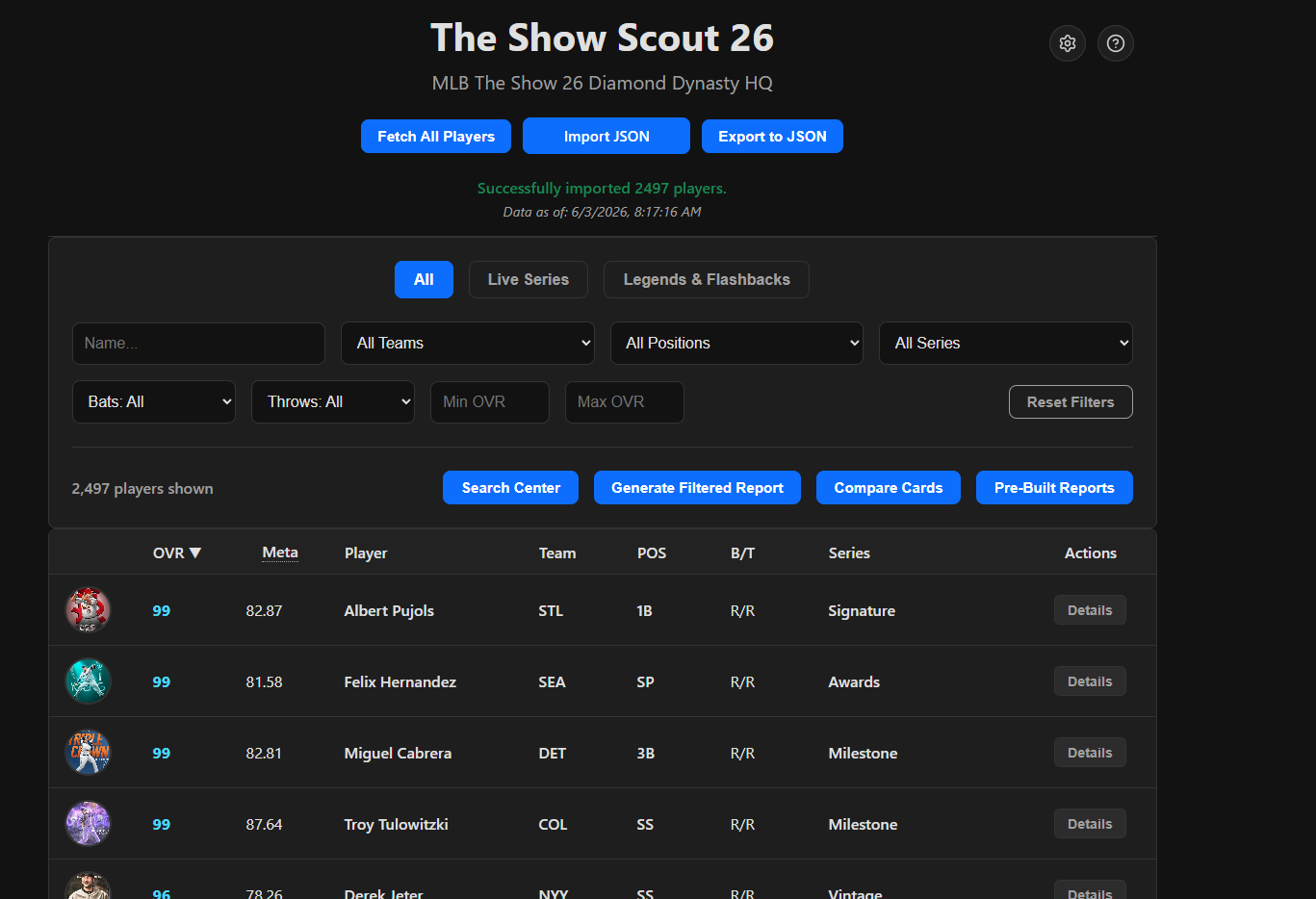
    alt text

    Customize the program's weighting for meta scores to match your preferences. This helps in ranking and will be used in Squad Building reports.
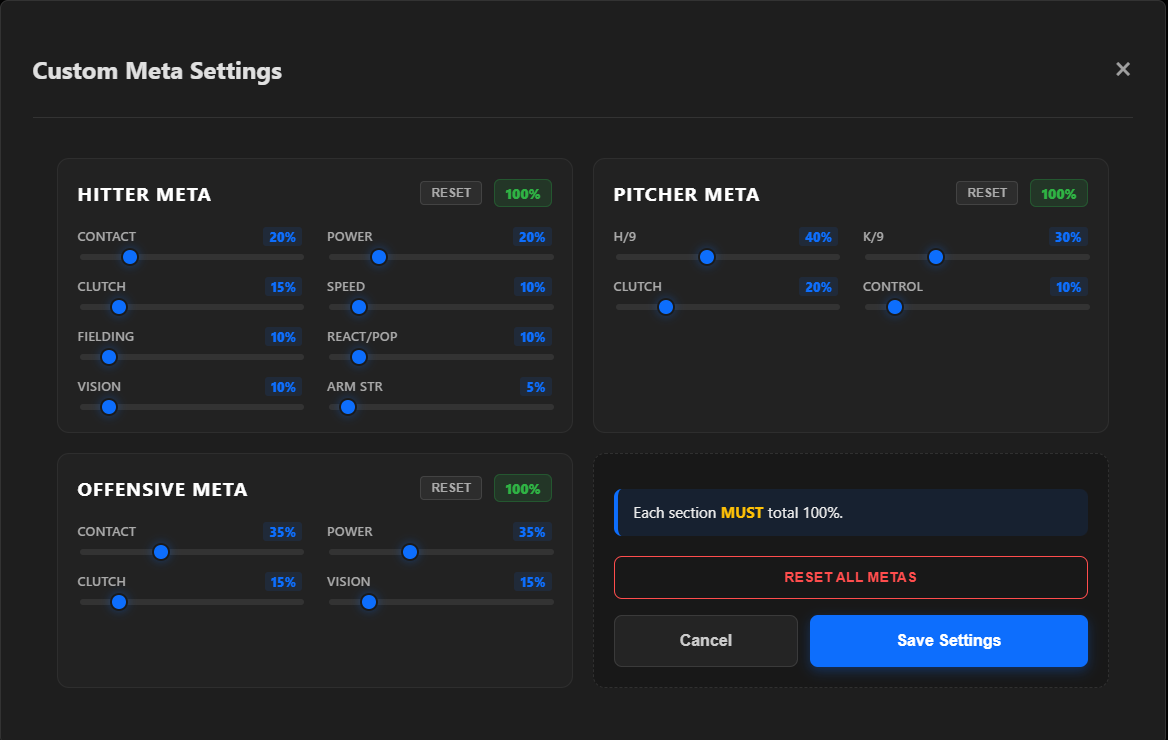
    alt text

    Card Details Screen - See Attributes and Price. Use the other tabs for more details including player update history, other cards and even current stats for live series players
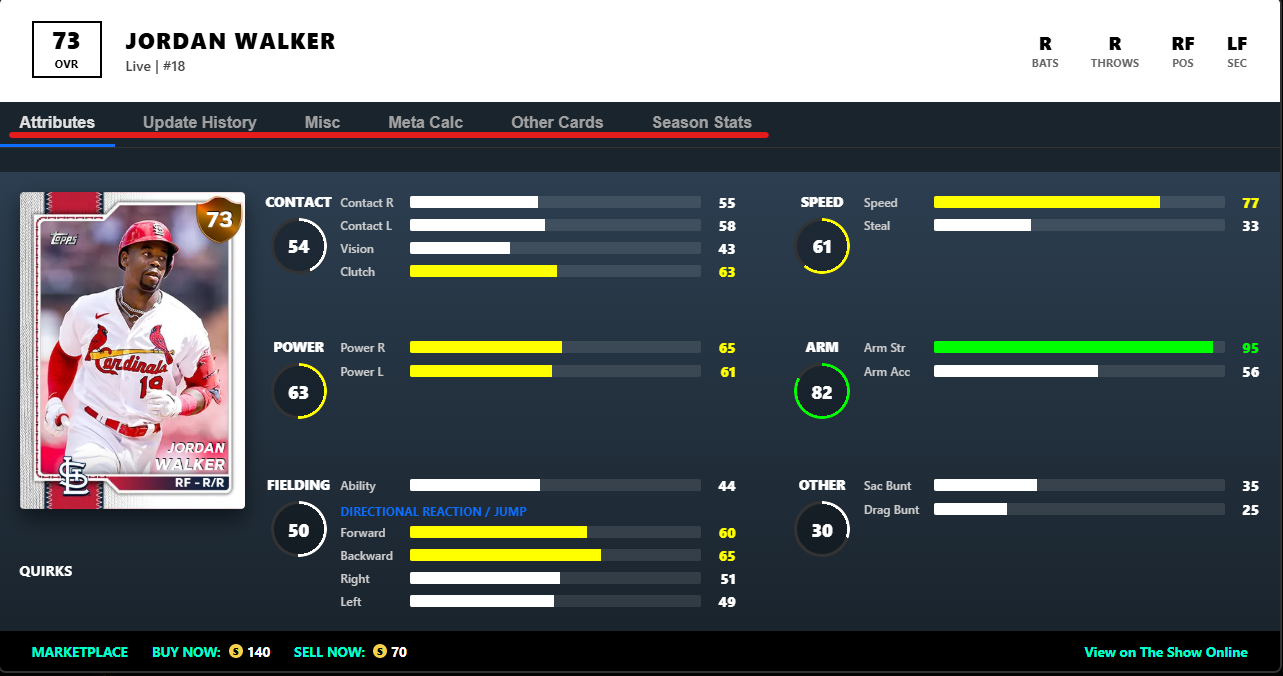
    alt text

    Reports Screen - More than 50 pre-configured reports with the options to copy or download the reports
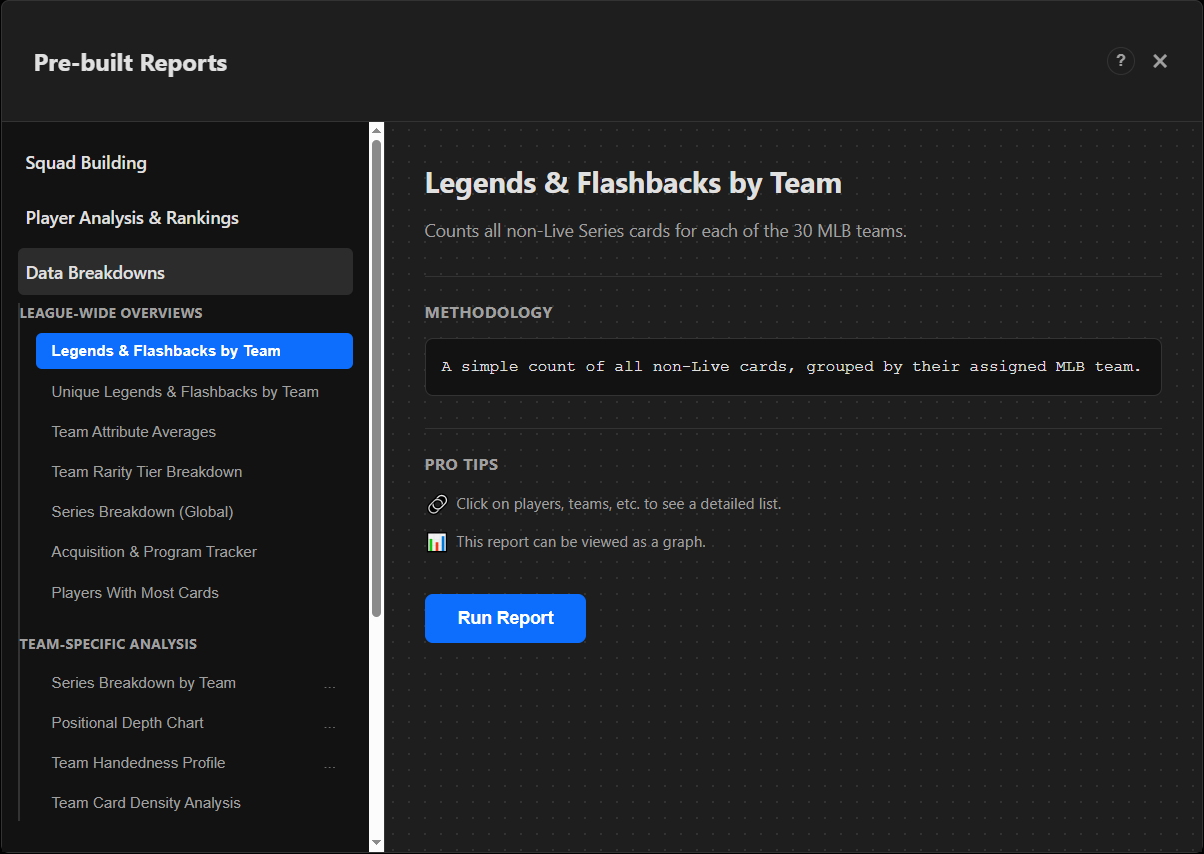
    alt text

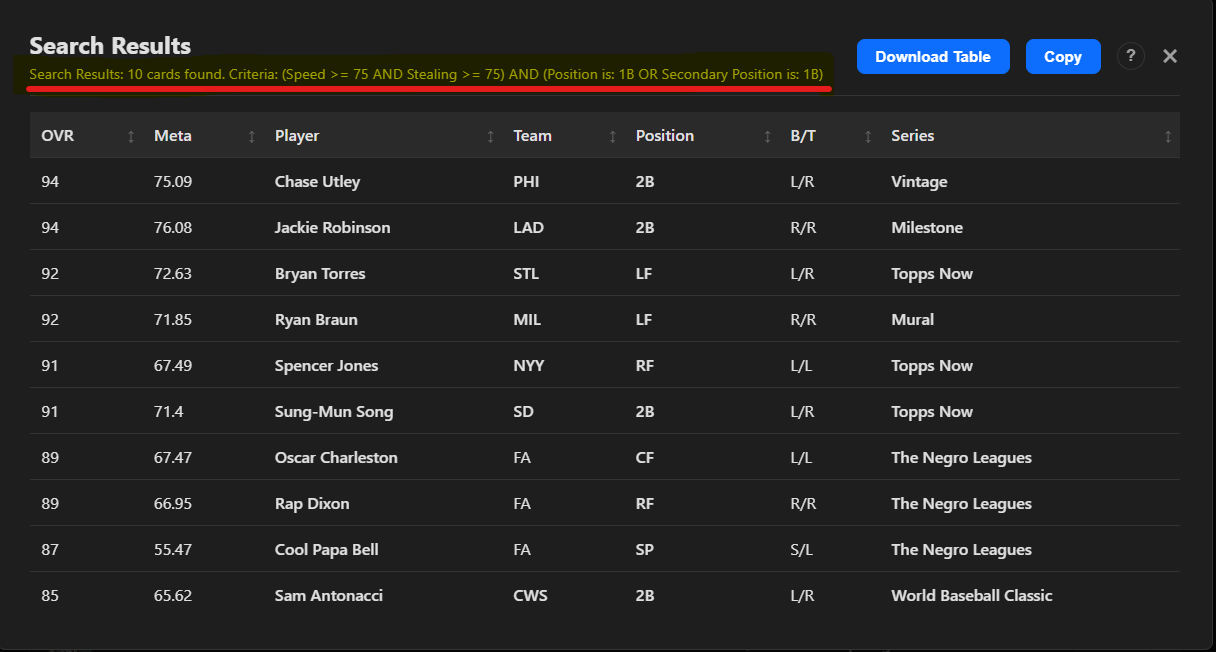
    Advanced Searches lets you use both and conditions and or conditions together for more powerful search capabilities. Looking for a Primary or Secondary 1B with at least 75 speed and 75 Steal? Just search for them
    alt text

    1 Reply Last reply
    5
  • Dolenz_PSND Offline
    Dolenz_PSND Offline
    Dolenz_PSN
    wrote last edited by
    #2

    Only two people have downloaded this but I would love to know they got it working or if they had any questions.

    1 Reply Last reply
    0

X Instagram Facebook YouTube Twitch Discord TikTok
Major League Baseball Players Association Major League Baseball Sony Interactive Entertainment PlayStation Studios San Diego Studio ESRB ESRB Certificate
Terms of Use Privacy Policy TheShow.com Community Code of Conduct MLB The Show Online Code of Conduct MLB The Show Games

“PlayStation Family Mark”, “PlayStation”, “PlayStation Studios logo”, “PS5 Logo”, and “Play Has No Limits” are registered trademarks or trademarks of Sony Interactive Entertainment Inc. ©2026 Sony Interactive Entertainment LLC. MLB and MiLB trademarks and copyrights are used with permission of Major League Baseball. Visit MLB.com and MiLB.com. Officially Licensed Product of MLB Players, Inc. MLBPA trademarks, copyrighted works and other intellectual property rights are owned and/or held by MLBPA and may not be used without the written consent of MLBPA or MLB Players, Inc. Visit MLBPLAYERS.com, the Players Choice on the web. The Baseball Hall of Fame and Museum trademarks and copyrights are used with permission of the National Baseball Hall of Fame and Museum, Inc., as applicable. Visit the official website of the Hall of Fame at BaseballHall.org. Official Licensee-Major League Alumni Marketing, Inc. © MLAM. Officially Licensed by the Negro Leagues Baseball Museum, Inc. Kansas City, MO. Stubs is a registered trademark or trademark of Sony Interactive Entertainment LLC. Nintendo Switch is a trademark of Nintendo. All other trademarks are the property of their respective owners.

  • Login

  • Login or register to search.
  • First post
    Last post
0
  • Categories
  • Popular
  • Dev Tracker
  • Login

  • Login or register to search.